


Less friction
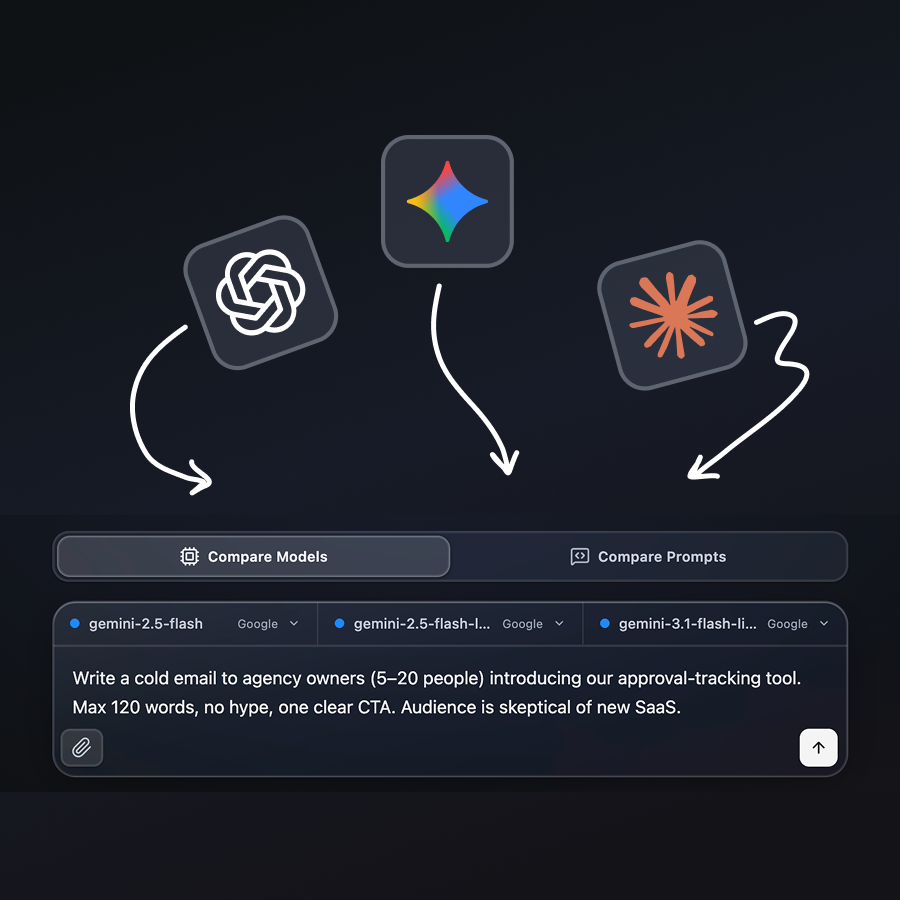
One composer, one send. Test several models in minutes, not across an afternoon of tabs.
Built an open-source workbench to compare OpenAI, Claude, and Google AI models in one UI, with diffs, costs and latency readouts. End to end: UX, UI, and code.
Portfolio embed
UI sandbox with mock data: explore layout and controls here without API keys. The full app with live OpenAI, Claude, and Google runs lives in the repository (.env, npm run dev).
Comparing models or small prompt tweaks is everyday work, but most people do it without APIs: they open ChatGPT, Claude, and Gemini in the browser and switch tabs by hand.
The manual loop: type the same question again, find the old thread, scroll two long answers, and judge differences from memory.
There is still no one screen with parallel replies and a structured diff, unless you wire integrations yourself.
Tab switching: context and wording drift between products
Manual repetition: one prompt, multiple paste cycles
Unstructured comparison: long prose compared by eye, not by a shared diff view
Aidiff is a comparison workbench, not another chat app: one prompt, parallel columns, no copy-paste between ChatGPT, Claude, and Gemini.
Diff, keywords, and performance tabs sit on top of the raw answers so comparison needs less scrolling and less guesswork.
How the solution breaks down
One composer, one send. Test several models in minutes, not across an afternoon of tabs.
Compare models or prompt variants in the same app. Switch modes in one click: two use cases, one workbench.
Results, Differences, Performance. Structured readouts instead of eyeballing two long replies.
Step 1: the composer calls OpenAI, Claude, and/or Google in parallel through the Vite proxy. Each column returns answer text plus token and latency metadata. Step 2: when every active column succeeds, those answers are bundled and sent once more through /api/google (Gemini Flash). diffParsing.js turns the markdown into the Differences tab. Results shows the raw columns; Performance combines the same metadata with MODEL_PRICING on the client, with no third API call.
Aidiff is designed and built in React components, not static mockups: glass controls, compare-mode switch, tab rail, composer actions, model slots, run cards, file chips, and settings rows. I chose a modern glass look with frosted layers, soft depth, and quiet borders so dense compare layouts stay readable without a heavy chrome shell. Below is an interactive component preview with demo data (no live API calls on this page).
Interactive preview of Aidiff UI components with demo data; no live API calls in the portfolio embed.
CompareModeSwitch
TabBar
HeaderSettingsButton
Composer · Send
Composer · Attach & Meta pill
ComposerModelSlots
SettingsApiKeyInputRow (preview)
CollapsedRun
FileChip
Dots (loading cue)
ThemeSchemeToggle
Solo build in four days: a local LLM comparison workbench, then open source (MIT) for anyone who wants the same workflow.
4 days
Solo build
2 modes
Model & prompt compare
3 APIs
OpenAI · Claude · Google
Zero to one: solo, end to end
From first idea to a finished, runnable product in four days: research, UX, UI, frontend, and integration. Design and code in one loop: layout and behaviour shifted in the same sessions, not as a hand-off between Figma and implementation.
Provider wiring & API keys
Hooked up OpenAI, Claude, and Google through Vite same-origin proxies, plus a keys panel that persists to local `.env`, so setup stays in the app and compare runs stay one click away.
Workbench UI that removes friction
Built a shell that combines parallel columns, composer, slots, and Results / Differences / Performance: one send instead of tabs, copy-paste, and guessing from memory. The UI takes work off the user, not adds another chat surface.
Designing in code works
If you know the patterns and know what you need, you can move from structure to shipped UI in React: no Figma pass required when you orchestrate layout, states, and flows in the codebase. Decisions land as components and behaviour, not specs waiting on implementation.
Side-by-side beats tab switching
Answers next to each other, with latency and estimated cost per column on the same screen, cut cognitive load more than another chat feature. Comparison became scan work, not memory work across browser tabs.
Ship the diff v1, then iterate
The diff layer can be expanded and tuned a lot; what mattered was shipping a working first version instead of holding the release until automated analysis felt finished. Enough to trust for daily compare, with room to push quality later.
React · Vite · Cursor · OpenAI · Claude · Google
Clone the repo, add API keys to .env, and run npm run dev locally.